# Connect API
Source: https://ifttt.ai/docs/connect_api
# IFTTT Connect API
Once your service is set up on the platform, you can use the tools on this page to make connections available to anyone who uses your app, website, chatbot, or other client experience.
### The basics
This API is located at `https://connect.ifttt.com`. All API responses are formatted as JSON objects, and any requests that include a body should also be formatted as JSON and include a `Content-Type: application/json` header.
Throughout these docs, we’ll use `{{service_id}}` as a placeholder for your service’s unique identifier, which can be found in the [Service tab] of the IFTTT Platform under the **IFTTT service ID** heading.
##### HTTP status codes
The following set of HTTP response status codes may be returned when you send requests to the API. A `200` or `204` status code will be returned for successful requests, while any other status code indicates an error.
| Status | Description |
| ------ | ------------------------------------------------------------------------------------------------------------------------------------------------------------------ |
| `200` | The request succeeded. |
| `204` | The request succeeded, but no content will be returned. |
| `400` | The request was invalid. |
| `401` | The request was missing needed credentials or had badly-formed headers or an invalid token. |
| `403` | The request was authenticated correctly, but the current service or user doesn’t have permission to make the requested call. |
| `404` | The requested resource couldn’t be found, either because of an invalid ID or because you aren’t allowed to see it. |
| `422` | The request failed because of invalid parameters. |
| `500` | There was an internal error. If this persists, [contact us](mailto:platform-support@ifttt.com). |
| `502` | The request failed because the downstream service could not process the request. |
##### Error responses
Like success responses, error responses will be JSON objects. All error responses have the following structure:
- `type`: The string `"error"`, to distinguish errors from other objects in the API.
- `code`: A machine-readable string categorizing the failure.
- `message`: A human-readable error message describing the failure.
- `details`: Additional details describing the failure.
**Example: Requesting a non-existent connection**
**HTTP Request**
```
GET /v2/connections/invalid_connection_id
Host: connect.ifttt.com
```
**Response**
```
HTTP/1.1 404 Not Found
Content-Type: application/json; charset=utf-8
{
"type": "error",
"code": "not_found",
"message": "Unknown connection id",
"details": []
}
```
##### Authentication
Every request is authenticated in one of two ways:
1. **Unauthenticated**: A request made with no credentials. Requests at this level can only read publicly-visible information.
2. **Service-authenticated**: A request that includes an `IFTTT-Service-Key` header containing your service key, found in the [API tab] of the IFTTT Platform under the **Service Key** heading. You can use this approach when you’re making calls from your backend servers to the API.
**Example: Unauthenticated**
**HTTP Request**
```
GET /v2/me
Host: connect.ifttt.com
```
**Example: Service-authenticated**
**HTTP Request**
```
GET /v2/me
Host: connect.ifttt.com
IFTTT-Service-Key: 6e7c8978c07a3b5918a237b9b5b1bb70
```
**Example: Service-authenticated with user_id**
**HTTP Request**
```
GET /v2/me?user_id=123
Host: connect.ifttt.com
IFTTT-Service-Key: 6e7c8978c07a3b5918a237b9b5b1bb70
```
##### Accessing user specific resources
Unless otherwise stated, most Connection API requests access user specific resources, so the `user_id` parameter is required. This `user_id` has to match the `id` that your service returns to IFTTT from its [User information] endpoint for a given user. Some endpoints can return extra user-specific information if you send a valid `user_id`, while other endpoints require you to send a `user_id` when you call them with a service key.
For endpoints that require a `user_id`, requests will fail if the user does not have the connection enabled, and the same user of your service cannot enable the same connection twice, even if using multiple IFTTT accounts.
##### Connection basics
Connections utilize the Connect API to power dynamic and adaptable experiences for your users across various platforms. Connections can be enabled on IFTTT.com, the IFTTT mobile apps, and the [iOS and Android SDKs]. Once a connection has been enabled, your users will expect to begin receiving the benefits of the experience you're powering using Connect API endpoints.
To make development on the Connect API as easy as possible, IFTTT collects and stores user field data required (e.g. light bulb device ID) to run the connection for your users when your users enable a connection. To see currently-stored user field data for a user for a connection, use the [show a connection] endpoint.
##### Extra data
IFTTT may decide at any point in the future to include additional data sent to your API in order to provide extra information, optional features, or to aid in debugging. We do not consider this a breaking change, and ask that you do not either.
As such, we ask that you do not validate the JSON strictly enough to the point where additional (validly formatted) key/values will result in an error. You may certainly validate and return an error if the JSON data is malformed or values that you normally expect are missing— IFTTT would normally publish a new API version in breaking cases like this.
To put it simply: **you should always expect that IFTTT may add additional JSON data at any time and your API should function correctly if it does**.
To ensure that your API adheres to this requirement, you’ll notice that requests include additional randomly generated key/value pairs in the JSON. Your API should ignore these and process the request normally.
### iOS and Android SDKs
The iOS SDK and Android SDK make it easy to integrate the API into your mobile apps:
[View the Android SDK on GitHub](https://github.com/IFTTT/ConnectSDK-Android)
[View the iOS SDK on GitHub](https://github.com/IFTTT/ConnectSDK-iOS)
The API can be used on its own or in conjunction with our mobile SDKs. We’d recommend reading the API’s documentation even if you intend to use the mobile SDKs, since it thoroughly explains the structure and capabilities of the API that the SDKs are built on top of.
### Connect URL
A Connect URL can be used on any platform and kicks off the authentication process for a connection. Here’s what one looks like:
```GET https://ifttt.com/connect/{connection_id}?email=me%40ifttt.com&redirect_uri=https%3A%2F%2Fifttt.com%2Fpage&code=sf9o8usfl-2f3l-f23kj```
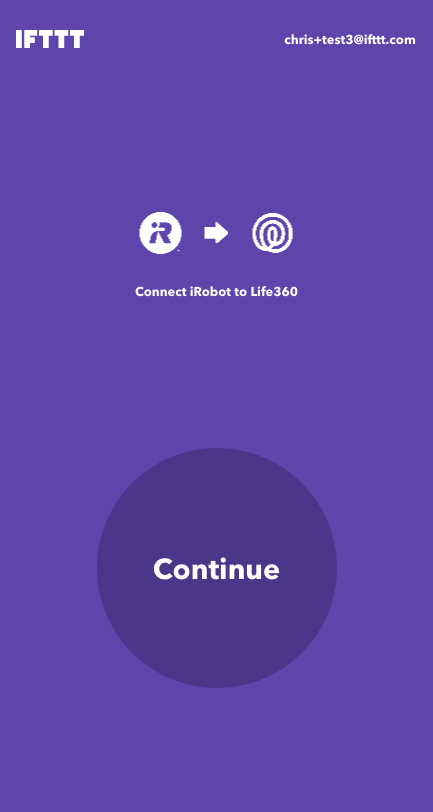
Depending on whether you're a new user, logged out, or logged in, you'll be directed through the flow appropriately. You should see a view with the background color of the service you need to connect:
#### URL parameters
| Parameter | Required | Description | Example |
| --------------- | -------- | ---------------------------------------------------------------------------- | -------------------------------------------------- |
| `email` | Yes | User’s email address, used as a unique identifier. | me@ifttt.com |
| `redirect_uri` | No | URL to redirect a user to upon completion of authentication. This parameter is required when the `skip_config` parameter is `true` | https://ifttt.com/page |
| `code` | No | A `provisional_access_code` used to pre-authenticate a user to your service. | sf9o8usfl-2f3l-f23kj |
| `skip_config` | No | Instructs IFTTT to skip only the connection configuration page (default: false). | true |
We use the `email` address to optimize the log-in process when it matches an existing IFTTT account.
The `redirect_uri` must be [registered to your service on the IFTTT Platform](https://ifttt.ai/mkt/embedded_redirects) or omitted. You should use a web protocol (https) resource - you can register multiple redirects in case you’re already using an appScheme://app in the Connect SDKs. Note that this parameter is required if `skip_config=true` is present.
You can use the `code` to pre-authenticate a user to your service by including the below `provisional_access_code` in the querystring.
We will grant a `provisional_access_code` in exchange for an `oauth_code` for a given user. This allows us to guarantee that the code is single-use only and expires after 48 hours. If present, we will use the provisional code to look up the `oauth_code` that we saved and attempt to exchange the `oauth_code` (along with our client id and secret) for an access token. If this fails, or the code is missing, we will redirect the user through the normal OAuth exchange.
**Acquiring a provisional access code using the API v2 endpoint:**
**HTTP Request**
```
POST /v2/provisional_access_code
Host: connect.ifttt.com
IFTTT-Service-Key: {{ifttt_service_key}}
{
"oauth_code": "foo"
}
```
**HTTP Response**
```
HTTP/1.1 201
Content-Type: application/json; charset=utf-8
{
"provisional_access_code": "sf9o8usfl-2f3l-f23kj"
}
```
The provisional code expires after 48 hours, or upon use.
You can use the `skip_config` parameter if you want to use your own connection configuration UI. Setting this parameter to true will instruct IFTTT to skip the connection configuration screen. This parameter defaults to false. Once a user clicks the connect button they will be taken through the usual connection flow however they will not see the connection configuration screen but will be redirected back to your app instead (`redirect_url`). The `redirect_url` parameter is required when `skip_config=true`. After the user is redirected back to your app or website, you will be able to use the [field options endpoint](#field-options) and the [update a connection endpoint](#update-a-connection) to support your UI and allow the user to configure the connection. A user connection created with `skip_config=true` is considered pending and will not fire its triggers or allow you to run it's actions or queries until it's updated using the [update a connection endpoint](#update-a-connection).
#### How to use it
A Connect URL should be utilized on any platform for which an official SDK is not available. You can read more about our [iOS and Android SDKs](#ios-and-android-sdks) here.
#### Connect button
When presenting the Connect URL to users, IFTTT recommends utilizing a static image version of our Connect Button that includes “works with IFTTT” language. The Connect Button is intended to better set user expectations and improve overall conversion rates.
When you’re ready to implement a Connect URL in your experience, please [contact IFTTT](mailto:marketing@ifttt.com) for appropriate supporting assets.
### Webhook endpoint
The Connect API will push data to various URL endpoints on your server, webhooks, after certain events happen. Here are some examples:
0. You're waiting for a trigger event webhook to come in and then use `["event_data"]["ingredients"]` to run an action. Learn more [here](#trigger-event-webhook).
1. You're waiting for a connection enabled webhook to come in and then use that to send the user some helpful information. Learn more [here](#enabled-webhook).
##### Request
IFTTT will push data to your **webhook endpoint** with the following request structure:
**HTTP**
- `Method`: POST
- `URL`: `{{api_url_prefix}}/ifttt/v1/webhooks/{{type}}/{{event}}`
**Headers**
```
IFTTT-Service-Key: {{ifttt_service_key}}
Accept: application/json
Accept-Charset: utf-8
Accept-Encoding: gzip, deflate
Content-Type: application/json
X-Request-ID: {{random_uuid}}
```
**Path Segments**
- `type`: (string) The type of object the event is for.
- `event`: (string) The event that occurred.
**Body**
- `sent_at`: (number) The time in milliseconds when the webhook was sent.
- `type`: (string) The type of object the event is for.
- `event`: (string) The event that occurred.
- `data`: (object) Information about the object.
- `data.connection_id`: (string) The id of the connection.
- `data.user_id`: (string) The id of the connection user.
- `data.user_timezone`: (string) The user timezone. Default is "Pacific Time (US & Canada)".
- `event_data`: (object) Information about the event.
##### Response
Your webhook endpoint should generate the response below:
**HTTP**
- `Status`: 200
### Users
##### Show the current service and user
**Authentication:** Unauthenticated, service-authenticated, or service-authenticated with user_id
**URL**: `GET https://connect.ifttt.com/v2/me`
This endpoint returns information about the authentication of the current request. You can use this to verify that you’re using a valid service key; you can also use it to determine whether the [`user_id` parameter] you sent is currently connected to an IFTTT account and, if so, what that IFTTT account’s login is.
**Example: Service-authenticated with user_id**
**HTTP Request**
```
GET /v2/me?user_id=123
Host: connect.ifttt.com
IFTTT-Service-Key: 6e7c8978c07a3b5918a237b9b5b1bb70
```
**Response**
```
HTTP/1.1 200 OK
Content-Type: application/json; charset=utf-8
{
"type": "me",
"authentication_level": "channel",
"service_id": "acme_social_network",
"user_login": "example_user"
}
```
### Connection details
##### Show a connection
**Authentication:** Unauthenticated or service-authenticated with user_id
**URL**: `GET https://connect.ifttt.com/v2/connections/{{connection_id}}`
This endpoint can be used to provide details about a specific connection. If the request is [authenticated] the response will include details specific to the authenticated user. If the authenticated user has enabled this connection, a `user_connection` object will be present, including the current configuration for [user trigger fields], [user query fields], and [user action fields] in a connection.
**Example: Show a connection, service-authenticated with user_id**
**HTTP Request**
```
GET /v2/connections/C8p3q9T6?user_id=123
Host: connect.ifttt.com
IFTTT-Service-Key: 6e7c8978c07a3b5918a237b9b5b1bb70
```
**Response**
```
{
"type": "connection",
"id": "zG58W2uC",
"name": "Track your work hours",
"description": "A new Google Calendar event will be created each time you enter or exit your work location. The exit event automatically calculates the amount of time you spent at work, so you don’t have to!",
"url": "https://ifttt.com/applets/zG58W2uC",
"enabled_count": 22,
"user_status": "enabled",
"services": [
{
"service_id": "google_calendar",
"service_name": "Google Calendar",
"service_short_name": "Google",
"is_primary": true,
"monochrome_icon_url": "https://assets.ifttt.com/images/channels/1396293310/icons/monochrome_regular.png",
"color_icon_url": "https://assets.ifttt.com/images/channels/1396293310/icons/on_color_regular.png",
"brand_color": "#2c6efc",
"url": "https://ifttt.com/google_calendar",
"triggers": [],
"queries": [
{
"id": "search_events",
"label": "Search Events",
"field_options_url": "https://connect.ifttt.com/v2/connections/zG58W2uC/queries/google_calendar.search_events/field_options",
"run_url": null,
"fields": [
{
"id": "calendar",
"label": "Calendar",
"type": "COLLECTION_SELECT",
"required": true,
"hidden": false,
"default_value": null
},
{
"id": "query",
"label": "Query",
"type": "TEXT_FIELD",
"required": false,
"hidden": true,
"default_value": "Empty"
}
],
"user_queries": [
{
"run_url": null,
"fields": [
{
"id": "calendar",
"group": null,
"label": "test@ifttt.com",
"value": "cIfpFqysBl6kEAAQAAAAAmFsYW5seUBpZnR0dC5jb21hbGFubHlAaWZ0dHQuY29t"
}
]
}
]
}
],
"actions": [
{
"id": "add_detailed_event",
"label": "Create a detailed event",
"field_options_url": "https://connect.ifttt.com/v2/connections/zG58W2uC/actions/google_calendar.add_detailed_event/field_options",
"run_url": "https://connect.ifttt.com/v2/connections/zG58W2uC/actions/google_calendar.add_detailed_event/run",
"fields": [
{
"id": "start_time",
"label": "Start time",
"type": "TEXT_FIELD",
"required": true,
"hidden": true,
"default_value": "10am"
},
{
"id": "description",
"label": "Description",
"type": "TEXT_AREA",
"required": false,
"hidden": true,
"default_value": ""
},
{
"id": "location",
"label": "Location",
"type": "TEXT_FIELD",
"required": false,
"hidden": true,
"default_value": ""
},
{
"id": "calendar",
"label": "Which calendar?",
"type": "COLLECTION_SELECT",
"required": true,
"hidden": false,
"default_value": null
},
{
"id": "attendees",
"label": "Attendees",
"type": "TEXT_FIELD",
"required": false,
"hidden": true,
"default_value": ""
},
{
"id": "end_time",
"label": "End time",
"type": "TEXT_FIELD",
"required": true,
"hidden": true,
"default_value": "10am"
},
{
"id": "all_day",
"label": "All day?",
"type": "COLLECTION_SELECT",
"required": false,
"hidden": true,
"default_value": "false"
},
{
"id": "title",
"label": "Title",
"type": "TEXT_FIELD",
"required": false,
"hidden": true,
"default_value": ""
}
],
"user_actions": [
{
"run_url": "https://connect.ifttt.com/v2/connections/zG58W2uC/actions/google_calendar.add_detailed_event/run",
"fields": [
{
"id": "calendar",
"group": null,
"label": "test@ifttt.com",
"value": "cIfpFqysBl6kEAAQAAAAAmFsYW5seUBpZnR0dC5jb21hbGFubHlAaWZ0dHQuY29t"
}
]
}
]
}
]
},
{
"service_id": "location",
"service_name": "Location",
"service_short_name": "Location",
"is_primary": false,
"monochrome_icon_url": "https://assets.ifttt.com/images/channels/941030000/icons/monochrome_regular.png",
"color_icon_url": "https://assets.ifttt.com/images/channels/941030000/icons/on_color_regular.png",
"brand_color": "#0099ff",
"url": "https://ifttt.com/location",
"triggers": [
{
"id": "enter_or_exit_region_location",
"label": "You enter or exit an area",
"field_options_url": "https://connect.ifttt.com/v2/connections/zG58W2uC/triggers/location.enter_or_exit_region_location/field_options",
"run_url": null,
"fields": [
{
"id": "location",
"label": "Your work location",
"type": "LOCATION_ENTER_AND_EXIT",
"required": true,
"hidden": false,
"default_value": {
"latitude": "37.78383800416815",
"longitude": "-122.40843300000002",
"radius": "316.2010756871335",
"address": "923 Market St, San Francisco, CA 94103, USA",
"description": "923 Market St, San Francisco, CA 94103, USA",
"zoom": "16"
}
}
],
"user_triggers": [
{
"run_url": null,
"fields": [
{
"id": "location",
"value": {
"lat": 37.78383800416815,
"lng": -122.40843300000002,
"radius": 316.2010756871335,
"address": "923 Market St, San Francisco, CA 94103, USA",
"description": "923 Market St, San Francisco, CA 94103, USA",
"zoom": 16
}
}
]
}
]
}
],
"queries": [],
"actions": []
}
],
"value_propositions": [
{
"description": "Effortlessly track time spent at work",
"icon_url": "https://ifttt.com/value-prop-icons/clock.png"
},
{
"description": "Gain valuable insight into your daily routine",
"icon_url": "https://ifttt.com/value-prop-icons/heart.png"
}
],
"features": [
{
"id": "qharvmtjdh",
"title": "Effortlessly track time spent at work",
"description": null,
"icon_url": "https://ifttt.com/value-prop-icons/clock.png",
"field_options_url": "https://connect.ifttt.com/v2/connections/zG58W2uC/features/qharvmtjdh/field_options",
"fields": [
{
"id": "day_of_week",
"label": "Day of week",
"type": "COLLECTION_SELECT",
"required": true,
"hidden": false,
"default_value": {
"group": null,
"label": "Monday",
"value": "1"
}
}
],
"feature_triggers": [
{
"id": "f3gtkmjkgf",
"trigger_id": "enter_or_exit_region_location",
"service_id": "location",
"label": "You enter or exit an area",
"field_options_url": "https://connect.ifttt.com/v2/connections/zG58W2uC/triggers/location.enter_or_exit_region_location/field_options",
"run_url": null,
"fields": [
{
"id": "location",
"label": "Your work location",
"type": "LOCATION_ENTER_AND_EXIT",
"required": true,
"hidden": false,
"default_value": {
"latitude": "37.78383800416815",
"longitude": "-122.40843300000002",
"radius": "316.2010756871335",
"address": "923 Market St, San Francisco, CA 94103, USA",
"description": "923 Market St, San Francisco, CA 94103, USA",
"zoom": "16"
}
}
]
}
],
"feature_queries": [
{
"id": "zfgacjes8c",
"query_id": "search_events",
"service_id": "google_calendar",
"label": "Search Events",
"field_options_url": "https://connect.ifttt.com/v2/connections/zG58W2uC/queries/google_calendar.search_events/field_options",
"run_url": null,
"fields": [
{
"id": "calendar",
"label": "Calendar",
"type": "COLLECTION_SELECT",
"required": true,
"hidden": false,
"default_value": null
},
{
"id": "query",
"label": "Query",
"type": "TEXT_FIELD",
"required": false,
"hidden": true,
"default_value": "Empty"
}
]
}
],
"feature_actions": [
{
"id": "xgzrzv2s3j",
"action_id": "add_detailed_event",
"service_id": "google_calendar",
"label": "Create a detailed event",
"field_options_url": "https://connect.ifttt.com/v2/connections/zG58W2uC/actions/google_calendar.add_detailed_event/field_options",
"run_url": "https://connect.ifttt.com/v2/connections/zG58W2uC/actions/google_calendar.add_detailed_event/run",
"fields": [
{
"id": "start_time",
"label": "Start time",
"type": "TEXT_FIELD",
"required": true,
"hidden": true,
"default_value": "10am"
},
{
"id": "description",
"label": "Description",
"type": "TEXT_AREA",
"required": false,
"hidden": true,
"default_value": ""
},
{
"id": "location",
"label": "Location",
"type": "TEXT_FIELD",
"required": false,
"hidden": true,
"default_value": ""
},
{
"id": "calendar",
"label": "Which calendar?",
"type": "COLLECTION_SELECT",
"required": true,
"hidden": false,
"default_value": {
"group": null,
"label": "test@ifttt.com",
"value": "cIfpFqysBl6kEAAQAAAAAmFsYW5seUBpZnR0dC5jb21hbGFubHlAaWZ0dHQuY29t"
}
},
{
"id": "attendees",
"label": "Attendees",
"type": "TEXT_FIELD",
"required": false,
"hidden": true,
"default_value": ""
},
{
"id": "end_time",
"label": "End time",
"type": "TEXT_FIELD",
"required": true,
"hidden": true,
"default_value": "10am"
},
{
"id": "all_day",
"label": "All day?",
"type": "COLLECTION_SELECT",
"required": false,
"hidden": true,
"default_value": "false"
},
{
"id": "title",
"label": "Title",
"type": "TEXT_FIELD",
"required": false,
"hidden": true,
"default_value": ""
}
]
}
]
}
],
"user_connection": {
"user_features": [
{
"id": "c62f0695-aae5-4f46-9482-1b8cfba8baf4",
"feature_id": "qharvmtjdh",
"enabled": true,
"user_fields": [
{
"field_id": "day_of_week",
"field_type": "COLLECTION_SELECT",
"value": {
"group": null,
"label": "Tuesday",
"value": "lkk2Skf2SDF"
}
}
],
"user_feature_triggers": [
{
"id": "ef618c2d-70a4-4186-aa58-6b743086ebd0",
"feature_trigger_id": "f3gtkmjkgf",
"user_fields": [
{
"field_id": "location",
"field_type": "LOCATION_ENTER_AND_EXIT",
"value": {
"lat": 37.78383800416815,
"lng": -122.40843300000002,
"radius": 316.2010756871335,
"address": "923 Market St, San Francisco, CA 94103, USA",
"description": "923 Market St, San Francisco, CA 94103, USA",
"zoom": 16
}
}
]
}
],
"user_feature_queries": [
{
"feature_query_id": "zfgacjes8c",
"user_fields": [
{
"field_id": "calendar",
"field_type": "COLLECTION_SELECT",
"value": {
"group": null,
"label": "test@ifttt.com",
"value": "cIfpFqysBl6kEAAQAAAAAmFsYW5seUBpZnR0dC5jb21hbGFubHlAaWZ0dHQuY29t"
}
}
]
}
],
"user_feature_actions": [
{
"feature_action_id": "xgzrzv2s3j",
"user_fields": [
{
"field_id": "calendar",
"field_type": "COLLECTION_SELECT",
"value": {
"group": null,
"label": "test@ifttt.com",
"value": "cIfpFqysBl6kEAAQAAAAAmFsYW5seUBpZnR0dC5jb21hbGFubHlAaWZ0dHQuY29t"
}
}
]
}
]
}
]
}
}
```
Response attributes:
| Name | Description |
| --------------------------------------------------- | -------------------------------------------------------------------------------------------------------------------------------------------------------------------------------------------------------------------- |
| `type` | (string) The type of the response. Always `connection` |
| `id` | (string) A connection id. |
| `name` | (string) A connection name. |
| `description` | (string) A connection description. |
| `url` | (string) A connection URL on IFTTT. |
| `enabled_count` | (string) The number of users who have this connection enabled. |
| `user_status` | (string) The status of this connection for the current user: `enabled` - currently turned on, `disabled` - turned off, `never_enabled` - deleted by the user or never turned on, `null` - when no user is specified. |
| `services` | (array) A list of services available in this connection. |
| `services.service_id` | (string) A service id. |
| `services.service_name` | (string) A full service name. |
| `services.service_short_name` | (string) A short service name. |
| `services.is_primary` | (string) `true` for the service that owns this connection. |
| `services.monochrome_icon_url` | (string) A URL for the service's monochrome icon. |
| `services.color_icon_url` | (string) A URL for the service's color icon. |
| `services.brand_color` | (string) A service's brand color. |
| `services.url` | (string) A service page on IFTTT. |
| `services.actions` | (array) service actions available in this connection. |
| `services.actions.id` | (string) An action id. |
| `services.actions.label` | (string) An action label. |
| `services.actions.field_options_url` | (string) A URL that returns the action field options. |
| `services.actions.run_url` | (string) A URL that runs the action. |
| `services.actions.fields` | (array) Action fields. |
| `services.actions.fields.id` | (string) A field id. |
| `services.actions.fields.type` | (string) A field type. |
| `services.actions.fields.label` | (string) A field label. |
| ~~`services.actions.fields.default_value`~~ | (Deprecated, use `feature_actions.fields.default_value`) (string) A field's default value. |
| ~~`services.actions.fields.required`~~ | (Deprecated, use `feature_actions.fields.required`) (string) `true` for required fields. |
| ~~`services.actions.fields.hidden`~~ | (Deprecated, use `feature_actions.fields.hidden`) (string) `true` for fields that are not visible to the user. |
| ~~`services.actions.user_actions`~~ | (Deprecated, use `user_connection`) (array) Actions that the user configured. |
| `services.actions.user_actions.id` | (string) A user action id. |
| `services.actions.user_actions.run_url` | (string) A URL that runs the action as configured by the user. |
| `services.actions.user_actions.fields` | (array) Fields configured by the user. |
| ~~`services.actions.user_actions.fields.id`~~ | (Deprecated, use `user_connection`) (string) A field id (maps to `actions.fields.id`). |
| `services.actions.user_actions.fields.label` | (string) For dropdown type fields, contains a user selected label. |
| `services.actions.user_actions.fields.value` | (string) A user selected value. |
| `services.actions.user_actions.fields.value.lat` | (string) For location fields, contains a latitude value. |
| `services.actions.user_actions.fields.value.lng` | (string) For location fields, contains a longitude value. |
| `services.actions.user_actions.fields.value.radius` | (string) For location fields, contains a radius value. |
| `services.actions.user_actions.fields.group` | (string) For dropdown type fields, contains a group name for a user selected label. |
| `features` | (array) A list of features available in this connection. |
| `features.id` | (string) A feature id. |
| `features.title` | (string) A feature title. |
| `features.description` | (string) A feature description. |
| `features.icon_url` | (string) A feature icon URL. |
| `features.field_options_url` | (string) A URL that returns the field options. |
| `features.fields` | (array) Feature fields. |
| `features.fields.id` | (string) A field ID. |
| `features.fields.label` | (string) A field label. |
| `features.fields.type` | (string) A field type. |
| `features.fields.required` | (string) `true` for required fields. |
| `features.fields.hidden` | (string) `true` for fields that are not visible to the user. |
| `features.fields.default_value` | (object, array, string) A field's default value. |
| `feature_actions` | (array) Actions available in this feature. |
| `feature_actions.id` | (string) The feature action ID. |
| `feature_actions.action_id` | (string) An action ID (maps to `services.actions.id`) |
| `feature_actions.service_id` | (string) A service ID (maps to `services.id`) |
| `feature_actions.label` | (string) An action label. |
| `feature_actions.field_options_url` | (string) A URL that returns the field options. |
| `feature_actions.run_url` | (string) A URL that runs the action. |
| `feature_actions.fields` | (array) Action fields |
| `feature_actions.fields.id` | (string) An action field ID (maps to `services.actions.fields.id`) |
| `feature_actions.fields.label` | (string) An action field label. |
| `feature_actions.fields.type` | (string) An action field type. |
| `feature_actions.fields.required` | (string) `true` for required fields. |
| `feature_actions.fields.hidden` | (string) `true` for fields that are not visible to the user. |
| `feature_actions.fields.default_value` | (object, array, string) A default value for this field. |
| `features.queries.*` | Same as `features.actions`. |
| `features.queries.*` | Same as `features.actions`. |
| `services.queries.*` | Same as `services.actions`. |
| `services.triggers.*` | Same as `services.actions`. |
| `user_connection.user_features.id` | (string) An id referring to the specific instance of the user's configuration for this feature. This id can be used to run an Action or perform a Query based on a specific configuration by setting the `user_feature_id` field.|
| `user_connection.user_features.feature_id` | (string) The feature id. |
| `user_connection.user_features.enabled` | (boolean) `true` if the feature is enabled, `false` otherwise. |
| `user_connection.user_features.user_actions` | (array) Actions that the user configured. |
| `user_connection.user_features.user_feature_actions.feature_action_id` | (string) The feature action id. |
| `user_connection.user_features.user_feature_actions.user_fields` | (array) Fields configured by the user. |
| `user_connection.user_features.user_feature_actions.user_fields.field_id` | (string) A field id (maps to `actions.fields.id`). |
| `user_connection.user_features.user_feature_actions.user_fields.field_type` | (string) A field type. |
| `user_connection.user_features.user_feature_actions.user_fields.value` | (object, array, string) A user selected value. |
| `user_connection.user_features.user_feature_actions.user_fields.value.lat` | (number) For location fields, contains a latitude value. |
| `user_connection.user_features.user_feature_actions.user_fields.value.lng` | (number) For location fields, contains a longitude value. |
| `user_connection.user_features.user_feature_actions.user_fields.value.radius` | (number) For location fields, contains a radius value. |
| `user_connection.user_features.user_feature_actions.user_fields.value.group` | (string) For dropdown type fields, contains a group name for a user selected label. |
| `user_connection.user_features.user_feature_actions.user_fields.value.label` | (string) For dropdown type fields, a label for a user selected value. |
| `user_connection.user_features.user_feature_actions.user_fields.value.value` | (string) For dropdown type fields, a user selected value. |
| `user_connection.user_features.user_feature_queries.*` | Same as `user_connection.user_features.user_feature_actions`. |
| `user_connection.user_features.user_feature_triggers.*` | Same as `user_connection.user_features.user_feature_actions`. |
| `user_connection.user_features.user_feature_triggers.id` | (string) An ID referring to the specific instance of the trigger. The id is returned in of the body in the [Trigger event webhook] |
##### Update a connection
**Authentication:** Service-authenticated with user_id
**URL**: `PUT https://connect.ifttt.com/v2/connections/{{connection_id}}/user_connection`
This endpoint can be used to update a specific user's connection. The request must be [authenticated]. Note, the PUT will replace the current stored configurations for the user. If a user has configured a trigger, sending a PUT request without the same trigger configuration will result in removing the user's configuration for the trigger. Likewise, if the user has never configured a query and it is absent from the `user_connection` from the [Show a connection endpoint](#show-a-connection), this endpoint can be used to store new configurations for the user.
**Example: Update a connection, service-authenticated with user_id**
**HTTP Request**
```
PUT /v2/connections/C8p3q9T6/user_connection?user_id=123
Host: connect.ifttt.com
IFTTT-Service-Key: 6e7c8978c07a3b5918a237b9b5b1bb70
{
"user_features": [
{
"feature_id": "XwqsedQk",
"enabled": true,
"user_fields": [
{
"field_id": "color",
"value": "red"
}
],
"user_feature_triggers": [
{
"feature_trigger_id": "ht5kw3ga7l",
"user_fields": [
{
"field_id": "condition",
"value": "rain"
}
]
}
],
"user_feature_queries": [...],
"user_feature_actions": [...]
}
]
}
```
##### Update a connection (deprecated)
*Endpoint has been deprecated. Please use the new [Update a Connection](#update-a-connection) endpoint*
**Authentication:** Service-authenticated with user_id
**URL**: `POST https://connect.ifttt.com/v2/connections/{{connection_id}}`
This endpoint can be used to update certain details about a specific connection. The request must be [authenticated]. Currently, you can only update [user trigger fields], [user query fields], and [user action fields]. An attempt to update anything else will result in a `422 Unprocessable Entity`.
Below is an example of updating a user action field with id `title`, which configures the action with id `post_picture` of the `acme_social_network` service.
**Example: Update a connection, service-authenticated with user_id**
**HTTP Request**
```
POST /v2/connections/C8p3q9T6
Host: connect.ifttt.com
IFTTT-Service-Key: 6e7c8978c07a3b5918a237b9b5b1bb70
{
"user_id": 123,
"services": [
{
"service_id": "acme_social_network",
"actions": [
{
"id": "post_picture",
"user_actions": [
{
"fields": [
{
"id": "title",
"value": "My San Francisco today"
}
]
}
]
}
]
}
]
}
```
##### Field options
The field option endpoints allow you to fetch the available options for trigger fields, query fields, action fields, and feature fields. These endpoints return a human-readable `label` and a `value` that can be used to show, update, or override stored user fields.
**Authentication:** Service-authenticated with user_id
**URL**: `GET https://connect.ifttt.com/v2/connections/{{connection_id}}/{{type}}/{{type_id}}/field_options`
**Path Segments**
- `type`: (string) The type of field. Must be `triggers`, `queries`, `actions`, or `features`.
- `type_id`: (string) The ID for the specific trigger, query, action, or feature.
**Example: Action Field Options, service-authenticated with user_id**
**HTTP Request**
```
GET /v2/connections/C8p3q9T6/actions/acme_cloud_storage.archive/field_options?user_id=123
Host: connect.ifttt.com
IFTTT-Service-Key: vFRqPGZBmZjB8JPp3mBFqOdt
```
**Response**
```
{
"type": "field_options",
"options": {
"folder_name": [
{
"label": "Movies",
"value": "aBwLdm2ydHVya0BQbWFpbC8jb22=;2641ab0g",
"group": null
},
{
"label": "Music",
"value": "dHwLdm2ydHVya0BnbWFbgC8jb44=;1411vb0q",
"group": null
}
]
}
}
```
Response attributes:
| Name | Description |
| ------- | ------------------------------------------------------------------------------------------------------- |
| `label` | (string) A human-readable label for the option. |
| `value` | (string) An option value to be used in an [action run] or to [update a connection]. |
| `group` | (optional string) A group name which can be used to organize related options when displaying to a user. |
##### Refresh a connection
This endpoint allows you to refresh dropdown field labels if they get changed.
This is useful in a situation when a dropdown field label changes outside IFTTT.
Let's say you have a smart light service on IFTTT with an action that uses a dropdown field allowing a user to select a light.
Such a field will have multiple differently labeled options, one per light.
When a user configures your connection they will pick a light by it's label.
IFTTT will store the light id along with the label to avoid fetching options every time the connection needs to be displayed.
If the user uses your app to renames the light they picked the change will not be known to IFTTT and the connection will still display the old label.
To fix this you can call this endpoint and IFTTT will fetch dropdown options and update the selected light label.
**Authentication:** Service-authenticated with user_id
**URL**: `POST https://connect.ifttt.com/v2/connections/{{connection_id}}/user_connection/refresh`
**Example: Refreshing a connection, service-authenticated with user_id**
**HTTP Request**
```
POST /v2/connections/C8p3q9T6/user_connection/refresh?user_id=123
Host: connect.ifttt.com
IFTTT-Service-Key: vFRqPGZBmZjB8JPp3mBFqOdt
```
**Response**
```
HTTP/1.1 204 No Content
Content-Type: application/json; charset=utf-8
```
### Connection events
##### Enabled webhook
Connections are enabled by your users on the IFTTT web app or through your mobile app via IFTTT SDKs. When this happens IFTTT will send a request to your API's [Webhook] endpoint.
**Example: Connection enabled**
```
POST /ifttt/v1/webhooks/connection/enabled HTTP/1.1
Host: api.example-service.com
X-Request-ID: 9f99e73452cd40198cb6ce9c1cde83d6
{
"sent_at": 1560285630699,
"data": {
"connection_id": "C8p3q9T6",
"user_id": "16507466",
"user_timezone": "Pacific Time (US & Canada)"
},
"event_data": {
"enabled_at": "1560285630711"
}
}
```
##### Updated webhook
When a user updates a connection, IFTTT will send a request to your API's [Webhook] endpoint.
**Example: Connection Updated**
```
POST /ifttt/v1/webhooks/connection/updated HTTP/1.1
Host: api.example-service.com
X-Request-ID: 9f99e73452cd40198cb6ce9c1cde83d6
{
"sent_at": 1560285630699,
"data": {
"connection_id": "C8p3q9T6",
"user_id": "16507466",
"user_timezone": "Pacific Time (US & Canada)"
},
"event_data": {
"updated_at": "1560285630711"
}
}
```
##### Disabled webhook
When a user disabled a connection, IFTTT will send a request to your API's [Webhook] endpoint.
**Example: Connection disabled**
```
POST /ifttt/v1/webhooks/connection/disabled HTTP/1.1
Host: api.example-service.com
X-Request-ID: 9f99e73452cd40198cb6ce9c1cde83d6
{
"sent_at": 1560285630699,
"data": {
"connection_id": "C8p3q9T6",
"user_id": "16507466",
"user_timezone": "Pacific Time (US & Canada)"
},
"event_data": {
"disabled_at": "1560285630711"
}
}
```
### Triggers
##### User trigger fields
###### Stored trigger fields
When a connection is enabled by your users on the IFTTT web app or through your mobile app via IFTTT SDKs, IFTTT will collect and store user configured trigger field values. You can see the currently stored trigger field values for a user via the [show a connection] endpoint.
###### Update stored trigger fields
Stored user trigger field values can be updated using the [update a connection] endpoint. To update stored fields you must use the [field options] endpoint to get valid values for the field.
##### Trigger event webhook
When a trigger detects a new event, IFTTT will send a request to your API's [Webhook] endpoint.
**Example: New Trigger Event**
```
POST /ifttt/v1/webhooks/trigger_subscription/fired HTTP/1.1
Host: api.example-service.com
X-Request-ID: 9f99e73452cd40198cb6ce9c1cde83d6
{
"sent_at": 1543520153824,
"data": {
"user_id": "16507466",
"user_timezone": "Pacific Time (US & Canada)",
"connection_id": "C8p3q9T6",
"trigger_id": "acme_cloud_storage.new_file",
"feature_id": "XwqsedQk",
"user_feature_id": "5e0d9be3-2381-4cbe-a567-ed264b0ac1dc",
"user_feature_trigger_id": "fa58e624-806f-447b-a902-9985acca572a"
},
"event_data": {
"ingredients": {
"FileName": "Street Art"
}
}
}
```
##### Test trigger event webhook
**Authentication:** Service-authenticated with user_id
**URL**: `POST https://connect.ifttt.com/v2/connections/{{connection_id}}/triggers/{{trigger_id}}/test`
This endpoint can be used to simulate a new event. A request to this endpoint will result in a test [Trigger event webhook] request to your API's [Webhook] endpoint.
**Example: Test event, service-authenticated with user_id**
**HTTP Request**
```
POST /v2/connections/C8p3q9T6/triggers/acme_cloud_storage.new_file_added/test
Host: connect.ifttt.com
IFTTT-Service-Key: vFRqPGZBmZjB8JPp3mBFqOdt
{
"user_id": 123,
"user_feature_id": "90276cb1-e8ff-4718-a34f-c73cf75c49cf"
}
```
**Response**
```
HTTP/1.1 204 No Content
Status: 204 No Content
```
Request attributes:
| Name | Description |
| ---------- | ------------------------------------------------------------------------------------------------------------------------------------------------------------------------------------------------ |
| `user_feature_id` | (optional string) If provided, the connection will be run with this configuration. If not provided, the connection's first `user_feature_id` will be used. |
### Queries
##### User query fields
###### Stored query fields
When a connection is enabled by your users on the IFTTT web app or through your mobile app via IFTTT SDKs, IFTTT will collect and store user configured query field values required to perform a query. You can see the currently stored query field values for a user via the [show a connection] endpoint.
###### Update stored query fields
Stored user query field values can be updated using the [update a connection] endpoint. To update stored fields you must use the [field options] endpoint to get valid values for the field.
###### Overriding stored query fields
Depending on the experience you're looking to create, you may want to override the stored query field values. To do this, include a valid field `label` and `value` in the body of the [perform a query] request. [View an example](/docs/connections#connection-creation-tool) of when to override stored fields.
##### Perform a query
**Authentication:** Service-authenticated with user_id
**URL**: `POST https://connect.ifttt.com/v2/connections/{{connection_id}}/queries/{{query_id}}/perform`
This endpoint performs the specified query using the [user query fields] stored on IFTTT.
Optionally, you may include a JSON object in the body of the request with any or all `fields`, which will temporarily override the fields stored on IFTTT.
**Example: Perform Query, service-authenticated with user_id**
**HTTP Request**
```
POST /v2/connections/C8p3q9T6/queries/acme_cloud_storage.list_files/perform
Host: connect.ifttt.com
IFTTT-Service-Key: vFRqPGZBmZjB8JPp3mBFqOdt
{
"user_id": 123,
"fields": {
"folder_name": "aBwLdm2ydHVya0BQbWFpbC8jb22=;2641ab0g",
},
"limit": 1
}
```
**Response**
```
{
"type": "list",
"data": [
{
"id": "kj39jskl",
"name": "posts.zip",
"created_at": "2017-08-27T12:52:59-07:00",
"size": "293234",
"version": 3,
"tags": {
"type": "query",
"query_id": "acme_cloud_storage.get_file_metadata",
"fields": {
"file_id": "zAwLdm2ydHVya0BQbWFpbC8jb3e=;3441ab0g"
}
}
}
],
"next": {
"fields": {
"folder_name": "aBwLdm2ydHVya0BQbWFpbC8jb22=;2641ab0g"
},
"cursor": "151517700064544d60c3a02405f8bd5520d3e31571"
}
}
```
Request attributes:
| Name | Description |
| ---------- | ------------------------------------------------------------------------------------------------------------------------------------------------------------------------------------------------ |
| `fields` | (object) A map of query fields. This is effectively query parameters. |
| `user_feature_id` | (optional string) If provided, the connection will be run with this configuration. If not provided, the connection's first `user_feature_id` will be used. |
| `limit` | (optional number) A limit for the number of items in the response. |
| `cursor` | (optional string) A cursor that addresses a specific page of a result set. |
Response attributes:
| Name | Description |
| -------- | ---------------------------------------------------------------------------------------------------------------------------------- |
| `type` | (string) The type of the response object. Can be either a `list` for a result set, or a `query` for an ingredient that is a query. |
| `data` | (optional array) The query result as a list of items. Only present if `type` is `list`. |
| `cursor` | (optional string) A cursor that can be used to request the next page of this result set. Only present if there is a next page. |
| `fields` | (object) A map of query fields to be used when making a next page or drill-down query request. |
**Example: Request a next page of a query, service-authenticated with user_id**
**HTTP Request**
```
POST /v2/connections/C8p3q9T6/queries/acme_cloud_storage.list_files/perform
Host: connect.ifttt.com
IFTTT-Service-Key: vFRqPGZBmZjB8JPp3mBFqOdt
{
"user_id": 123,
"fields": {
"folder_name": "aBwLdm2ydHVya0BQbWFpbC8jb22=;2641ab0g",
}
"limit": 1,
"cursor": "151517700064544d60c3a02405f8bd5520d3e31571"
}
```
**Response**
```
{
"type": "list",
"data": [
{
"id": "ejjskl",
"name": "documents.zip",
"created_at": "2018-08-26T12:52:59-07:00",
"size": "93000",
"version": 1,
"tags": {
"type": "query",
"query_id": "acme_cloud_storage.get_file_metadata",
"fields": {
"file_id": "wAwLdm2ydHVya0BQbWFpbC8jb3e=;3441ab0g"
}
}
}
]
},
```
In this example we request a second page of the previous result using `cursor`. Note the lack of `next` attribute in the response, indicating the end of the result.
### Actions
##### User action fields
###### Stored action fields
When a connection is enabled by your users on the IFTTT web app or through your mobile app via IFTTT SDKs, IFTTT will collect and store user configured action field values required to run an action. You can see the currently stored action field values for a user via the [show a connection] endpoint.
###### Update stored action fields
Stored user action field values can be updated using the [update a connection] endpoint. To update stored fields you must use the [field options] endpoint to get valid values for the field.
###### Overriding stored action fields
Depending on the experience you're looking to create, you may want to override the stored action field values. To do this, include a valid field `label` and `value` in the body of the [run an action] request. [View an example](/docs/connections#connection-creation-tool) of when to override stored fields.
##### Run an action
**Authentication:** Service-authenticated with user_id
**URL**: `POST https://connect.ifttt.com/v2/connections/{{connection_id}}/actions/{{action_id}}/run`
This endpoint runs the specified action using the [user action fields] stored on IFTTT. If successful, you'll receive an empty 204 No Content response.
If a `user_feature_id` is provided, the connection will be run with this configuration. If not provided, the connection's first `user_feature_id` will be used.
Optionally, you may include a JSON object in the body of the request with any or all `fields`, which will temporarily override the fields stored on IFTTT.
Although all action field text inputs are strings, many action fields are defined with a type and some require a specific format. The table below maps action field types to their formats. Action field types not defined in the table do not have a specified format.
| Text type | Format | Example |
| ------------- | ------------------------ | -------------------------------------------------- |
| Messages | Short Text | Character count should be less than 140 characters |
| Messages | HTML | `Bold
and
Italicize` |
| Metadata | Path to a folder | /path/to/folder |
| URLs | Link, Photo, File, Audio | https://example.com/path/to/resource |
| Date and Time | ISO 8601 | 1977-04-23T21:41:09 |
**Example: Action Run, service-authenticated with user_id**
**HTTP Request**
```
POST /v2/connections/C8p3q9T6/actions/acme_cloud_storage.upload_from_url/run
Host: connect.ifttt.com
IFTTT-Service-Key: vFRqPGZBmZjB8JPp3mBFqOdt
{
"user_id": 123
}
```
**Response**
```
HTTP/1.1 204 No Content
Status: 204 No Content
```
**Example: Action Run with field values, service-authenticated with user_id**
**HTTP Request**
```
POST /v2/connections/C8p3q9T6/actions/acme_cloud_storage.upload_from_url/run
Host: connect.ifttt.com
IFTTT-Service-Key: vFRqPGZBmZjB8JPp3mBFqOdt
{
"user_id": 123,
"fields": {
"folder_name": "aBwLdm2ydHVya0BQbWFpbC8jb22=;2641ab0g"
"filename": "screenshot_04_23_1977",
"url": "https://my.service/path/to/resource.png",
}
}
```
**Response**
```
HTTP/1.1 204 No Content
Status: 204 No Content
```
**Example: Action Run with `user_feature_id`, service-authenticated with user_id**
**HTTP Request**
```
POST /v2/connections/C8p3q9T6/actions/acme_cloud_storage.upload_from_url/run
Host: connect.ifttt.com
IFTTT-Service-Key: vFRqPGZBmZjB8JPp3mBFqOdt
{
"user_id": 123,
"user_feature_id": "4da42aa6-3858-4722-9ded-6a7ecdefd91f"
}
```
**Response**
```
HTTP/1.1 204 No Content
Status: 204 No Content
```
### Examples
**Example: Using a location (field_type: LOCATION_POINT) field when running a query**
**HTTP Request**
```
POST /v2/connections/C8p3q9T6/queries/weather.current_weather/perform
Host: connect.ifttt.com
IFTTT-Service-Key: vFRqPGZBmZjB8JPp3mBFqOdt
{
"user_id": 123,
"user_feature_id": "4da42aa6-3858-4722-9ded-6a7ecdefd91f"
"fields" : {
"location": {
"lat": 18.124,
"lng": 10.298
}
}
}
```
**Example: Using an area (field_type: LOCATION_RADIUS) field when running a query**
**HTTP Request**
```
POST /v2/connections/C8p3q9T6/queries/acme.population/perform
Host: connect.ifttt.com
IFTTT-Service-Key: vFRqPGZBmZjB8JPp3mBFqOdt
{
"user_id": 123,
"user_feature_id": "4da42aa6-3858-4722-9ded-6a7ecdefd91f"
"fields" : {
"area": {
"lat": 18.124,
"lng": 10.298,
"radius": 3
}
}
}
```
**Example: Using a dropdown (field_type: COLLECTION_SELECT or DOUBLE_COLLECTION_SELECT) field when running an action**
If you want to override a dropdown field when running an action or query you **must** use a value provided by the `field_options` endpoint. First request all possible field values.
**HTTP Request**
```
GET /v2/connections/C8p3q9T6/actions/acme.send_message/field_options
Host: connect.ifttt.com
IFTTT-Service-Key: vFRqPGZBmZjB8JPp3mBFqOdt
```
**Response**
```
HTTP/1.1 200 OK
Content-Type: application/json; charset=utf-8
{
"type": "field_options",
"options": {
"channel": [
{
"label": "Cats",
"value": "oFro6MQAAA1UEwzVVNNVnJ1UtZ2hvc3RidJz",
"group": null
},
{
"label": "Dogs",
"value": "EMHK+6aCAPAAAAgkI0WXJ1bpbtcHJpdmF0ZQ",
"group": null
}
]
}
}
```
Then use a value returned in a subsequent query or action run.
**HTTP Request**
```
POST /v2/connections/C8p3q9T6/actions/acme.send_message/run
Host: connect.ifttt.com
IFTTT-Service-Key: vFRqPGZBmZjB8JPp3mBFqOdt
{
"user_id": 123,
"user_feature_id": "4da42aa6-3858-4722-9ded-6a7ecdefd91f"
"fields" : {
"channel": "oFro6MQAAA1UEwzVVNNVnJ1UtZ2hvc3RidJz",
"message": "Woof!"
}
}
```
You will receive an error response if you use a value not from a field options response.
**HTTP Request**
```
POST /v2/connections/C8p3q9T6/actions/acme.send_message/run
Host: connect.ifttt.com
IFTTT-Service-Key: vFRqPGZBmZjB8JPp3mBFqOdt
{
"user_id": 123,
"user_feature_id": "4da42aa6-3858-4722-9ded-6a7ecdefd91f"
"fields" : {
"channel": "Cats",
"message": "Woof!"
}
}
```
**Response**
```
HTTP/1.1 422 Unprocessable Entity
Content-Type: application/json; charset=utf-8
{
"type": "error",
"code": "invalid_parameters",
"message": "The parameters of your request were invalid",
"details": [
{
"parameter": "/fields/channel",
"message": "Not a valid option for this field. Use the field options request to get valid options."
}
]
}
```
**Example: Using a multiple checkbox select (field_type: CHECKBOX_MULTI) field when running an action**
If you want to override a multiple checkbox field when running an action or query you **must** use a value provided by the `field_options` endpoint. First request all possible field values.
**HTTP Request**
```
GET /v2/connections/C8p3q9T6/actions/acme.send_message/field_options
Host: connect.ifttt.com
IFTTT-Service-Key: vFRqPGZBmZjB8JPp3mBFqOdt
```
**Response**
```
HTTP/1.1 200 OK
Content-Type: application/json; charset=utf-8
{
"type": "field_options",
"options": {
"channel": [
{
"label": "Cats",
"value": "oFro6MQAAA1UEwzVVNNVnJ1UtZ2hvc3RidJz",
"group": null
},
{
"label": "Dogs",
"value": "EMHK+6aCAPAAAAgkI0WXJ1bpbtcHJpdmF0ZQ",
"group": null
},
{
"label": "Otter",
"value": "UQ2Ck3aaHsWBSeszDihhrMxpJPFf1OWL0d9",
"group": null
}
]
}
}
```
Then use a value returned in a subsequent query or action run.
**HTTP Request**
```
POST /v2/connections/C8p3q9T6/actions/acme.send_message/run
Host: connect.ifttt.com
IFTTT-Service-Key: vFRqPGZBmZjB8JPp3mBFqOdt
{
"user_id": 123,
"user_feature_id": "4da42aa6-3858-4722-9ded-6a7ecdefd91f"
"fields" : {
"channel": ["oFro6MQAAA1UEwzVVNNVnJ1UtZ2hvc3RidJz", "UQ2Ck3aaHsWBSeszDihhrMxpJPFf1OWL0d9"],
}
}
```
You will receive an error response if you use a value not from a field options response.
**HTTP Request**
```
POST /v2/connections/C8p3q9T6/actions/acme.send_message/run
Host: connect.ifttt.com
IFTTT-Service-Key: vFRqPGZBmZjB8JPp3mBFqOdt
{
"user_id": 123,
"user_feature_id": "4da42aa6-3858-4722-9ded-6a7ecdefd91f"
"fields" : {
"channel": ["Cats, Otter"],
"message": "Woof!"
}
}
```
**Response**
```
HTTP/1.1 422 Unprocessable Entity
Content-Type: application/json; charset=utf-8
{
"type": "error",
"code": "invalid_parameters",
"message": "The parameters of your request were invalid",
"details": [
{
"parameter": "/fields/channel",
"message": "Not a valid option for this field. Use the field options request to get valid options."
}
]
}
```
[service tab]: https://ifttt.ai/mkt/general
[api tab]: https://ifttt.ai/mkt/api
[run an action]: #run-an-action
[action run]: #run-an-action
[perform a query]: #perform-a-query
[perform a query]: #perform-a-query
[subscribe to a trigger]: #subscribe-to-a-trigger
[unsubscribe from triggers]: #unsubscribe-from-triggers
[action field options]: #action-field-options
[action field options]: #action-field-options
[query field options]: #query-field-options
[query field options]: #query-field-options
[trigger field options]: #trigger-field-options
[trigger field options]: #trigger-field-options
[show the current service and user]: #show-the-current-service-and-user
[authenticated]: #authentication
[`user_id` parameter]: #accessing-user-specific-resources
[activity]: https://ifttt.ai/activity
[user information]: https://ifttt.ai/docs/api_reference#user-information
[authentication]: #authentication
[webhook]: #webhook-endpoint
[trigger event webhook]: #trigger-event-webhook
[trigger subscriptions]: #subscribe-to-a-trigger
[trigger subscription]: #subscribe-to-a-trigger
[update a connection]: #update-a-connection
[show a connection]: #show-a-connection
[user trigger fields]: #user-trigger-fields
[user query fields]: #user-query-fields
[user action fields]: #user-action-fields
[update stored trigger fields]: #update-stored-trigger-fields
[update stored query fields]: #update-stored-query-fields
[update stored action fields]: #update-stored-action-fields
[ios and android sdks]: #ios-and-android-sdks
[field options]: #field-options